Online Image Compressor
Compress PNG, JPG, or WEBP images instantly without quality loss.
📁 Click here to Select or Drag & Drop Image
Supports JPG, PNG, WEBP filesOriginal Image
Compressed Image
Online Image Compressor tools have become indispensable assets for webmasters, bloggers, social media managers, and digital creators. Optimizing images ensures fast page loading speeds, saves storage bandwidth, and enhances overall search engine rankings.
What is an Online Image Compressor?
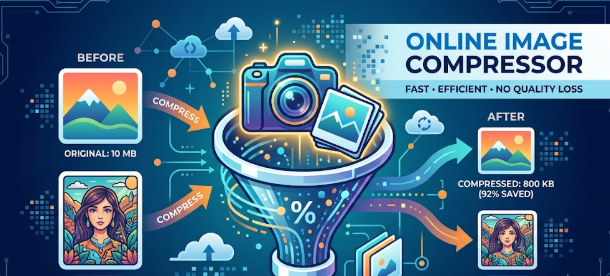
An Online Image Compressor is a web-based utility designed to reduce the overall file size of image formats (such as JPEG, PNG, WEBP, and GIF) while preserving as much visual quality as possible. By stripping out unneeded metadata and applying smart mathematical compression algorithms, these tools significantly trim down file sizes without compromising visual clarity.
Why Image Optimization Matters in 2026
- Boosted Page Load Speed: Large, uncompressed images are the leading cause of slow websites. Compressing images keeps page load times under 2 seconds.
- SEO Rankings (Core Web Vitals): Google prioritizes websites that offer fast Largest Contentful Paint (LCP) performance. Optimized images directly improve your website's search performance.
- Bandwidth & Storage Savings: Reduced file sizes mean lower server storage costs and reduced bandwidth consumption for both host servers and site visitors.
- Better User Retention: Visitors frequently bounce from slow-loading sites. Quick-loading visuals ensure higher engagement and lower bounce rates.
Key Features of a Modern Image Compression Tool
- Dual Compression Modes: Options for both Lossy (maximum file reduction with minimal quality loss) and Lossless (zero quality loss with moderate size reduction).
- Batch Processing: Ability to upload, compress, and download dozens of images simultaneously.
- Format Conversion: On-the-fly conversion options to modern web formats like WEBP or AVIF for optimal compression efficiency.
- Bulk Download: Download all compressed images at once via a single ZIP archive.
- Client-Side Processing (Privacy First): Modern browser-based tools process images locally via WebAssembly, ensuring images are never stored on external servers.
Compression Techniques: Lossy vs. Lossless
| Feature | Lossy Compression | Lossless Compression |
| File Reduction | High (Up to 70%–90%) | Moderate (10%–30%) |
| Quality Impact | Imperceptible visual changes | 100% original quality retained |
| Best For | Blog graphics, photography, web content | Logos, transparent PNGs, crisp vector graphics |
How to Use an Image Compressor Effectively
- Upload Images: Drag and drop your target images into the browser upload box.
- Select Compression Level: Choose between low, medium, or high compression depending on your quality requirements.
- Preview & Adjust: Compare side-by-side previews of the original and compressed files to verify visual quality.
- Download: Save individual compressed files or download the full batch in one click.
Image compression is a quick, highly effective habit that ensures faster web performance, better search engine visibility, and superior user experience.